Full Form

The full length articles from Forbes.com, a few days later after their exclusive ends. This is the source for all my articles on transportation from mid 1999 to the present.

Custom robocar startup Zoox shops for a buyer

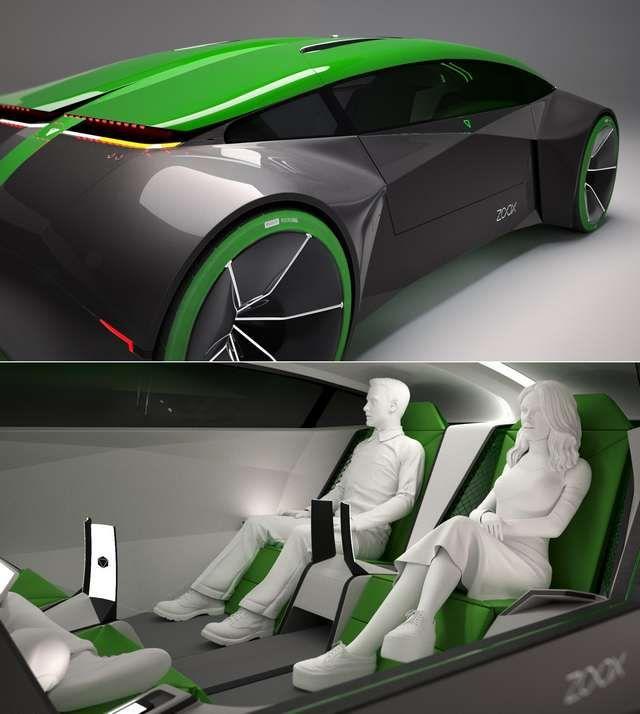
The earliest vision of Zoox vehicles, fully symmetrical, no windshield, only for robotaxi use.Zoox

I've known Zoox since before it began and their vision has always been bold. In a possible hiccup, the downturn has led them to shop around for a potential buyer if they can't get more investment.

I analyse what this means in my story [Zoox searches for a buyer](https://www.forbes.com/sites/bradtempleton/2020/05/08/zoox-looks-to-be-sold/) on the Forbes site.

Tags: 
Zoox shows an hour live driving video, impressive and unimpressive

Zoox is the $1B funded startup trying to build a radical design self-driving car. Last week they released a video of an hour long drive through Las Vegas, going through pick-up zones in hotels and the airport. The car does a number of impressive things, but at the same time, showing these things and an hour of driving are only the tip of the iceberg of what you need to do, making the video unimpressive at the same time.

In this new article, I go into what goes on in the video, and what it means.

Read [Zoox shows an hour live driving video, impressive and unimpressive](https://www.forbes.com/sites/bradtempleton/2020/05/04/zoox-shows-an-hour-long-driving-video-impressive-and-unimpressive/)

Tags: 

Would you cruise across the Atlantic rather than fly?

Ready to get on a 10 hour overseas flight, wearing an N95 mask, sharing bathrooms, in the middle seat between two coughing passengers? I didn't think so. With all the idle cruise ships out there, would you sail across the ocean like your grandparents in a private cabin if they followed good virus procedure? 4 days stuck in a room (kinda like now) to prove that your virus test is accurate to the country you're heading to.

I discuss the potential in my new Forbes site article [Will you fly across the ocean or will the transatlantic cruise return?](https://www.forbes.com/sites/bradtempleton/2020/04/30/will-you-fly-across-the-ocean-or-might-the-transatlantic-cruise-return/)

Tags: 

Will Covid-19 sound the death knell for old school public transit?

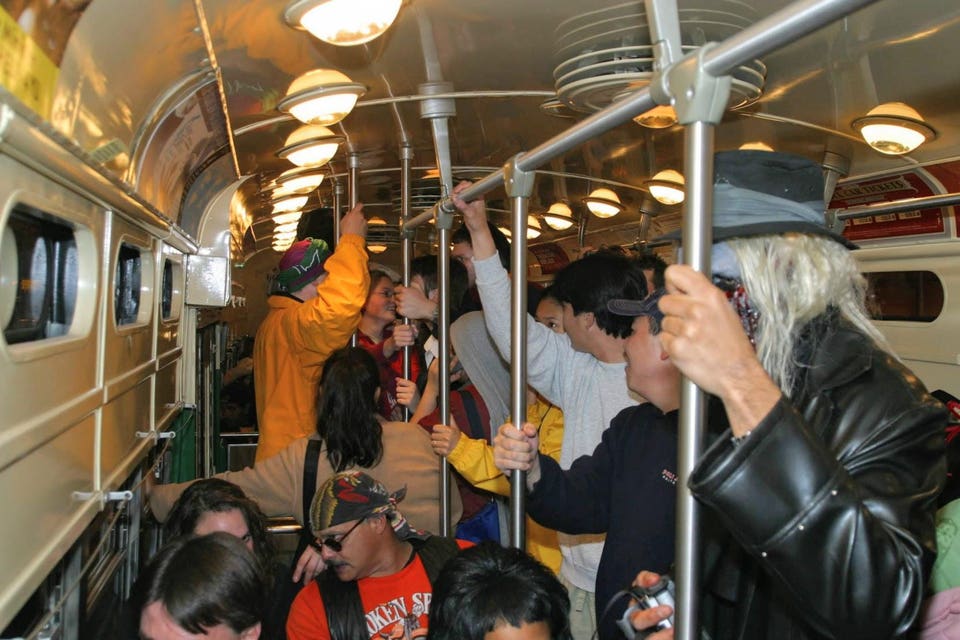
A packed trolley like this is going to frighten people in the post-Covid eraBrad Templeton

Current public transit is based on century-old ideas, and was already under threat from 21st century technology. Now, in the Covid-19 era, we have to wonder how long it will be before people are willing to pack tightly on crowded buses and subways -- the only thing that gave transit any shot at being efficient. Will the virus sound the death knell for old-school public transit?

I discuss this in a new Forbes site article at [Will Covid-19 sound the death knell for old school public transit?](https://www.forbes.com/sites/bradtempleton/2020/04/28/will-covid19-sound-the-permanent-death-knell-for-public-transit/)

Tags: 

Will COVID-19 Sound The Permanent Death Knell For Public Transit?

A packed trolley like this is going to frighten people in the post-Covid eraBrad Templeton

Traditional century-old styles of public transit were already under threat from 21st-century technology before the pandemic. In the aftermath of the current crisis, will people feel comfortable packed into a standing-room-only transit vehicle?

Topic: 

Tesla "reverse summon" won't be very exciting, but the eventual consequences are

Last year Tesla released "smart summon" which let you (very slowly) call your car to you from across a parking lot. It was cute but a bit of a dud, as it's not just very useful. Now Elon Musk promises "reverse summon" that will valet park your car for you. But if you have to watch it, it's not going to be very useful either.

Eventually, though, we'll get a robotic valet park that works without supervision. That will be very useful, allowing cheaper parking and better charging. Even today, the basic summon could allow slightly denser parking for cars that have it.

Read about this in my new Forbes site article at [Tesla auto-park might someday be better than useless](https://www.forbes.com/sites/bradtempleton/2020/04/22/teslas-auto-park-might-someday-be-better-than-useless/)

Tags: 

Car Companies Are Making Ventilators, But Ventilator Companies, Hackers And CPAP Companies Are Working Harder

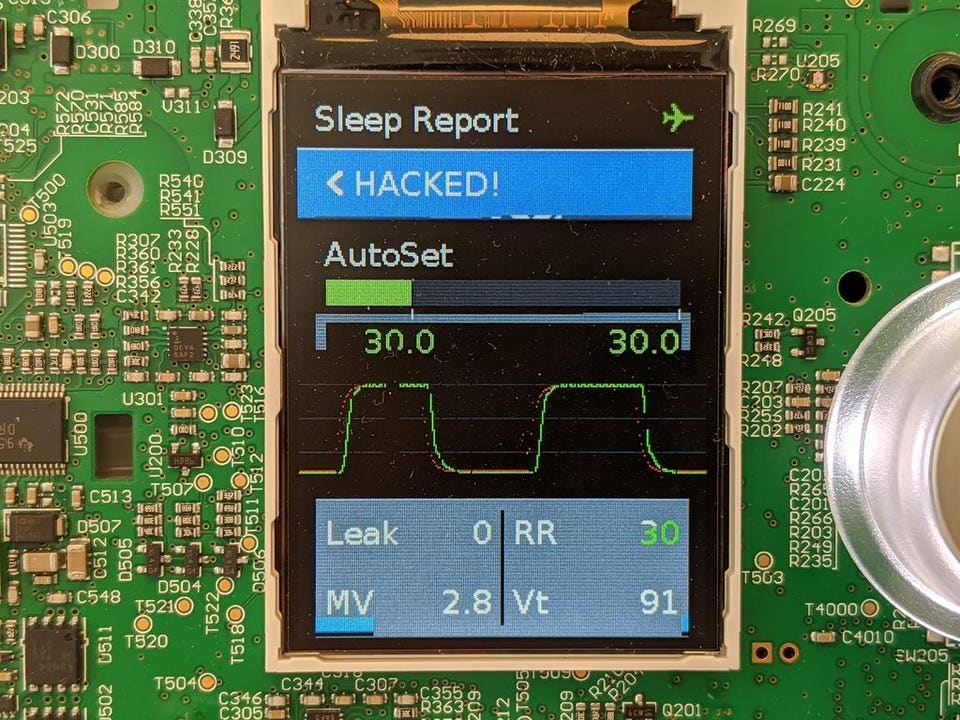
Screen from a modified CPAP machine "jailbroken" to offer additional modesAirBreak

If you read my [earlier report on efforts to convert CPAP machines into ventilators with new firmwware](https://ideas.4brad.com/creating-plan-reprogram-smart-cpap-machines-become-emergency-ventilators) the good news is that the feared massive ventilator shortage seems (for now) to have been avoided.

I got a chance to talk with the CMO of ResMed, one of the world's leading CPAP companies, which also makes ventilators, to get their take on the shortage and efforts to convert their machines for this purpose. They get asked this hundreds of times a day, he says, but so far the demand has not been there from hospitals, and so they have kept their priority on their more advanced machines.

Read [Car Companies Are Making Ventilators, But Ventilator Companies, Hackers And CPAP Companies Are Working Harder](https://www.forbes.com/sites/bradtempleton/2020/04/20/car-companies-are-making-ventilators-but-ventilator-companies-hackers-and-cpap-companies-are-working-harder/)

Tags: 

Car Companies Are Making Ventilators, But Ventilator Companies, Hackers And CPAP Companies Are Working Harder

Screen from a modified CPAP machine "jailbroken" to offer additional modesAirBreak

Everybody, including car companies like GM and Tesla, is getting into the ventilator making game. But the real answer may lie in the companies who already make respiratory gear, and the hacking community

Topic: 

Does pseduo-LIDAR help Tesla or its competitors more?

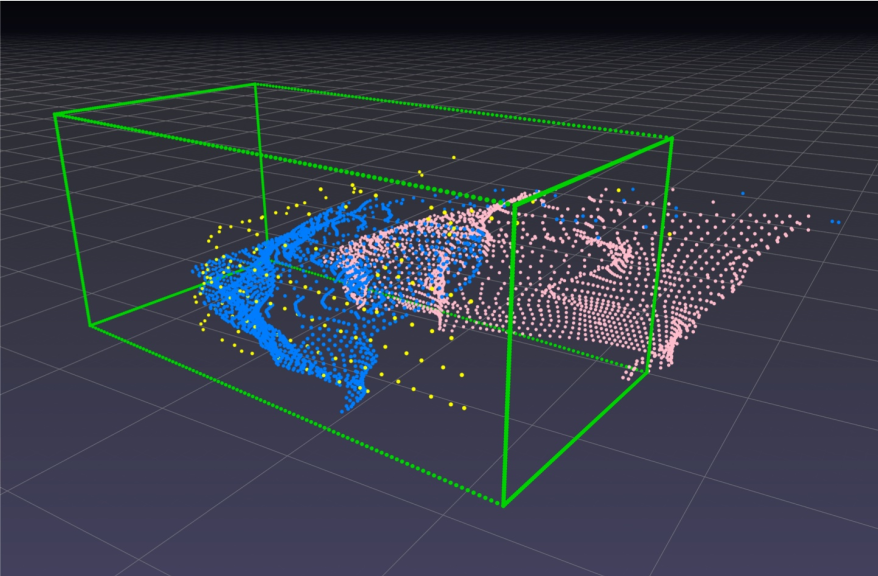
This image from the cited paper on pseudo-LIDAR shows the real point cloud in yellow, older technology in pink and their new system in blue.Rui Qian et al

Tesla doesn't want to use LIDAR. So they are hoping for success in a technique known as pseudo-LIDAR, where you train neural networks to look at images and calculate the distance to everything in the scene, as though you had a LIDAR. It's not here yet, but an interesting question is, should this succeed, is it better for Tesla or for their LIDAR using competitors who already have tons of experience using 3D point clouds?

Read about that at [Does pseduo-LIDAR help Tesla or its competitors more?](https://www.forbes.com/sites/bradtempleton/2020/04/14/if-teslas-dream-of-making-cameras-perform-as-well-as-lidar-comes-true-it-may-help-teslas-competitors-more/)

Tags: 

If Tesla’s Dream Of Making Cameras Perform As Well As LIDAR Comes True, It May Help Tesla’s Competitors More

This image from the cited paper on pseudo-LIDAR shows the real point cloud in yellow, older technology in pink and their new system in blue.Rui Qian et al

Tesla needs to duplicate what LIDAR does using just cameras to drive safely. Nobody has done this yet, but it's being worked on. But if it happens, does it benefit Tesla or their competitors more?

Topic: 

How do Robotaxis deal with a pandemic?

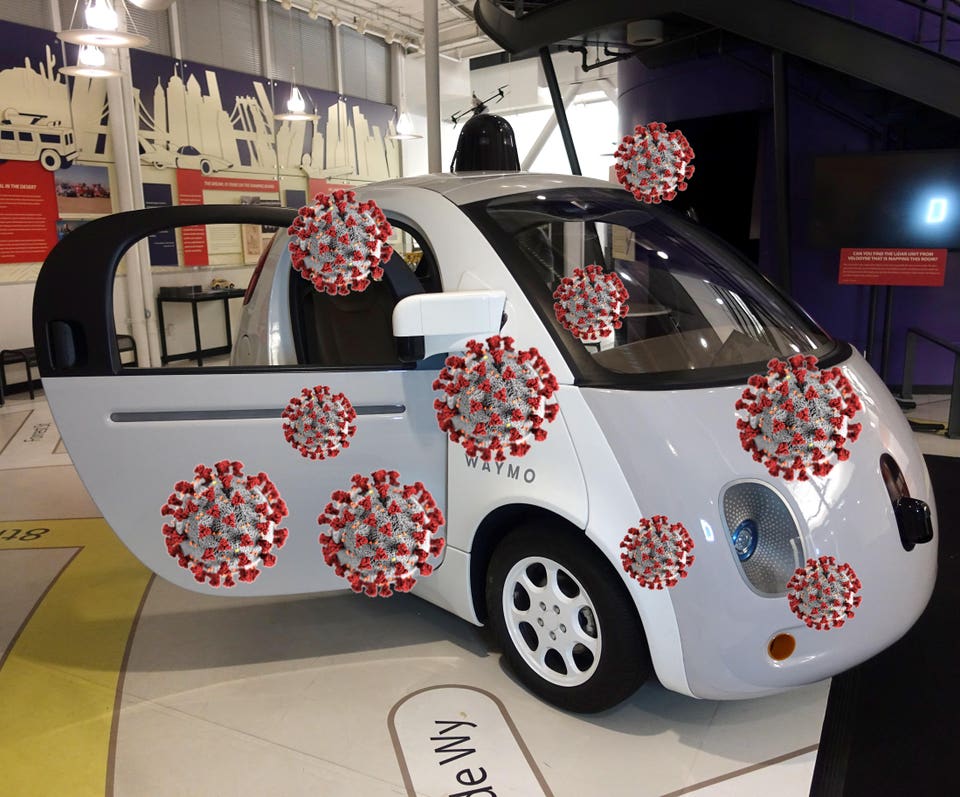
A self-driving car, metaphorically plastered with viruses.Brad Templeton

Uber, Lyft, Scooters and Transit have all cratered in ridership. Will people be more likely to ride in self-driving taxis if they had them during a pandemic crisis? I discuss some of the Covid-19 issues around robotaxis in this new article.

It's found at [Can robotaxis survive a pandemic?](https://www.forbes.com/sites/bradtempleton/2020/04/13/can-robotaxis-survive-a-pandemic/)

Tags: 

Starsky Robotics is very open about why their robotruck company died

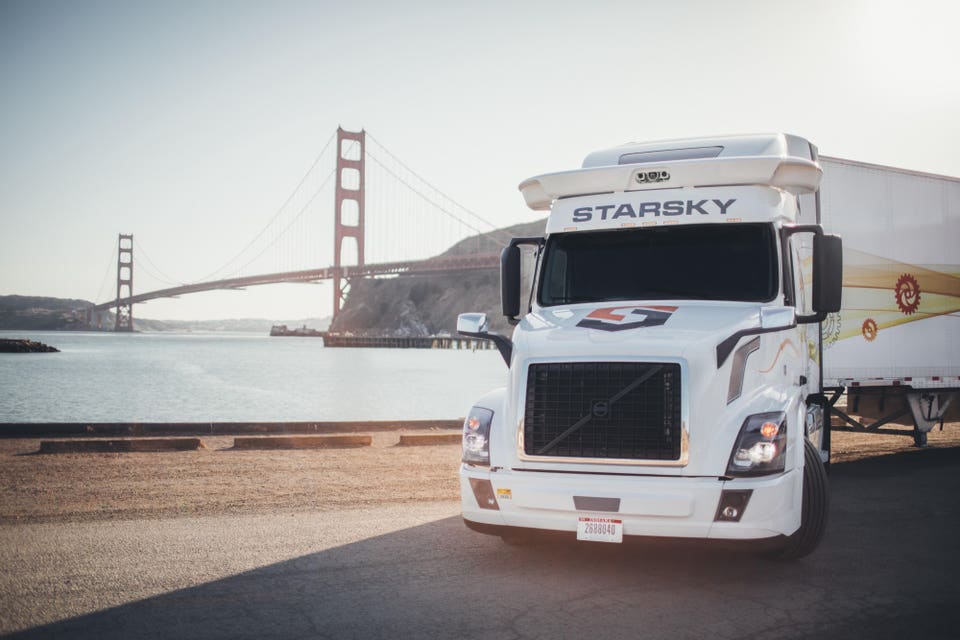
Starsky robotic trucking has closed their doorsStarsky

Recently, Stefan Seltz-Axmacher, the founder of Starsky Robotics -- a startup doing self-driving and remove-driven transport trucks that I advised before they started going -- wrote a detailed and complex blog post about why he feels his company had to shut down. He goes into several issues, including failures of Deep Learning to meet hype, VC desires, strangeness of the trucking industry and lack of love for safety.

In my new article for the Forbes site, I dig into those reasons and whether he's right that nobody else will succeed soon, either.

Read [Starsky Robotics Shuts Down And Worries Everybody Else Will Also Fail In Robotic Trucks](https://www.forbes.com/sites/bradtempleton/2020/04/02/starsky-robotics-shuts-down-and-worries-everybody-else-will-also-fail-in-robotic-trucks/).

Tags: 

Starsky Robotics Shuts Down And Worries Everybody Else Will Also Fail In Robotic Trucks

Starsky robotic trucking has closed their doorsStarsky

The Founder of Robotic Trucking startup Starsky recently provided deep details on why they shut down. Here's some examination of his key points, and whether his failure bodes badly for the whole industry.

Topic: 

Guide to having a good ZOOM video meeting

People are doing huge amounts of videoconferencing during the Covid crisis. The tools keep improving, but there's a great deal that individual participants can do to make the meetings better. They take some effort but it's worth it.

**TL;DR: Be a participant, not a lurker, and wear a headset.**

## Other Guides
* [Using Zoom Far End Camera Control](https://www.templetons.com/brad/zoom/farend.html) so you can zoom and point the remote camera!
* [Doing a hybrid meeting with Zoom](https://www.templetons.com/brad/zoom/) -- with important notes about two-monitor mode, far-end camera control and more
* [Feeling a human connection in a virtual meeting](https://www.forbes.com/sites/bradtempleton/2020/05/29/your-guide-to-feeling-a-human-connection-with-the-group-in-zoom-meetings/?sh=6e1ae5cf29ec) - for both organizers and participants
* [How to do a Virtual Conference Right](https://www.forbes.com/sites/bradtempleton/2021/05/06/how-to-do-a-virtual-conference-right/) - for organizers
*

## Be a participant, not a lurker

In the past, you would have driven or flown to a meeting and given most of your attention while in the meeting or session. Don't take the online meeting as an excuse to be barely there.

### Turn on your video, even just to watch.

Let people see you. Yes, this takes bandwidth. Yes, it's harder for you to goof off without people noticing. That's part of the point. Today, people are going all day without seeing anybody. Don't let that happen.

Zoom has two modes, which you toggle with a button in the upper right corner. "Speaker view" shows the current speaker large, and 4-5 others at the top. It's good to get a closer look at the speaker but it's less social.

The other mode, "Gallery View" will show you up to 24 other participants (or 48 if you change a setting on a recent computer). Even when somebody is talking it makes you more part of the room. I recommend using it most of the time -- as long as people follow the rule of turning on video. If you have multiple monitors the "Dual Display Mode" in settings can give you both worlds.

In both the "Video Settings" (on Camera "^" menu) and on the "View" menu (upper right) you can toggle "Hide Non-Video Participants." In a big meeting this is very useful so the people not showing video don't use up your screen real estate, or worse, make multiple pages of faces. Turn this on and off as needed.

Also try to open up the Chat and/or Participant windows. When you have them as a sidebar, you can click "Pop out" to make it a special window, which may be more useful.

#### Sorry, the software based "Virtual Background" doesn't really work

Zoom offers the ability to replace your background with an image. If you have a physical greenscreen behind you, it works. If you don't, it *seems* to work, but it is actually pretty flawed and thus it looks distracting and ugly. Avoid using it, unless you are mortified people might see your room -- in that case use the "blur background" option.

## Follow the key rules for audio and video

1. **Get a wired headset** and use it.
2. Get a wired headset and use it.
3. Get a wired headset and use it. Don't be fooled by the fact that speakerphone mode seems to do pretty well in one on one conversations. That does not extend to group meetings. Any cheap crappy wired headset is better than the microphone in your laptop. Having the microphone on your body -- Headset with mic, earbuds or lavalier mic on your collar -- provides much better sound. Headphones (especially isolating ones) stop the sound coming in from going back out through the mic. If you don't do this the software tries to compensate but it fails, and you can't beat the physics of a headset. Sadly, Bluetooth headsets could work but they reduce your audio quality to telephone call quality. Avoid them.
4. **Light yourself well.** Don't have a light bulb or window in the background. Put a diffuse light behind your camera, possibly bounce it off a wall.
4. Use a **wired Ethernet** connection. Take the effort to get one. Wifi loses packets, which is OK for web surfing, but not in audio and video. Almost every time somebody's video or audio break up in a call, they are on wifi.
5. Really try to **use a laptop or desktop, not your phone**. If you *must* use your phone or tablet, put it in a stand, at eye height, in **landscape mode**. Avoid handholding it. Using the phone generally violates the wired ethernet rule.
5. Consider getting an **external webcam**. Not only are inexpensive ones often very good, but you can put them in better places. If you have a big screen, put the external webcam in front of the screen, so you inherently make eye contact when you look at the screen.
6. No matter what camera you have, **put it at eye height**. Unless looking up your nose is very attractive. Put your laptop on a laptop stand or stack of books.
6. If you somehow didn't get a headset, then **mute your audio** at all times and unmute to speak and re-mute when done. Place your online order for fast delivery of a cheap headset while muted. Don't forget to mute if you step away or take a phone call -- consider even clicking "Leave computer audio" to disconnect both ends.
9. **Don't come in by telephone**. In this one instance, find good data and use the Zoom app on your phone, with a headset, and mounting your phone in a holder.

No matter how much people hear these tips, they frequently don't follow them. That's because speakerphones and WiFi and internal cameras "mostly work." Mostly work is fine in a one on one call. In a group every problem is multiplied, so everybody needs to step up for everybody else.

### Why a headset is so important
There are two big values of a headset. Having the microphone inches from your mount makes a huge difference. 2 inches vs 2 feet (for the microphone in your laptop) means the sound is 100 times louder on a linear scale, and that means the computer can reduce the noise from the world -- background noise, echo of your voice off walls, airplanes overhead - by 100fold. The second value is the headphones -- especially if they are the isolating rather than open kind -- can reduce the sound from the meeting that echoes back into your microphone. When sound comes through like that, the computer has to mute or distort your microphone to stop it from going back as an echo, and that makes the conversation one way instead of two way. In a one on one conversation, being one-way fits in the dynamic. You tolerate the odd mistake, the ringing phone, the airplane, the leaf blower. When 10 people are on the call, noises interfere 10 times as often. And your voice sounds hollow rather than rich.

Bluetooth headsets would be fine if the Bluetooth people hadn't foolishly decided that they were only for phone calls. They deliberately reduce the quality of the microphone signal to telephone quality when you use both speaker and microphone together. They can do high quality when used only as headphones. If you need to be wireless, you can use Bluetooth *headphones* and a professional wireless mic, the kind speakers use on stage or TV crews use to interview. Otherwise, you have to put up with that cable.

A lavalier microphone that clips to the lapel is good, combined with some wired or wireless headphones.

If you get on a large meeting where everybody wears a headset the difference is quite dramatic. It's more like being in a room, people can interact like real humans. Any who remain on speakerphone become second class participants.

Apple Airpods do seem better than most Bluetooth headsets, but they still don't sound as good as a wired one. Get a wired one.

## This all goes double if you are presenting

If you are presenting, good audio and video are even more important. You are more important than the slides, so work on you and pay less attention to them. Consider standing (with a camera at eye level) Get a long cord for your headset.

If you have simple slides which can go in a Powerpoint file which does not use videos or animations, or slides from another program like Google Slides which can be exported to the Powerpoint file, I **strongly recommend** using the "Advanced" tab of Zoom's Screen Share. You have perhaps shared your screen before using the initial "Basic" tab. Click "Advanced" (at the top) and then select "Powerpoint as virtual background." It looks amazing, and creates a vastly better connection to your audience. You must do a test run first to make sure that your head does not block anything important on your slides -- adjust the slides if so, or move where your head is positioned -- and just step through them to make sure it's all OK.

## Dual Monitor Mode
If you have two displays on your computer, even if one is not visible, you can go to Zoom Settings and turn on "Use Dual Monitors" in the General tab. Then restart Zoom and it will give you two windows. They don't have to be on different monitors, in spite of the name. You can now have one window for speakers and one for slides (the default) or one window for the gallery and one for the current speaker, or one window each for two speakers, and resize them as you wish. You can of course make them fullscreen on two monitors. This is really useful for presentations so you can see the speaker at the size you want instead of being a tiny box on the side. It's also great in groups so you can see the whole group as well as a close look at the speaker.

## Far End Camera Control
If you are talking to a group of people in a meeting room, get their OK, and then right click on their video and select "Request Camera Control." If they say OK, you can zoom in on individuals and move your zoomed frame around. You are in charge. If they have a special motorized camera, you can sometimes use that to look all around the room. You're not locked in any more. Read more at [Using Zoom Far End Camera Control](https://www.templetons.com/brad/zoom/farend.html). Note both sides must enabled this feature in [Zoom Settings](https://zoom.us/profile/setting) -- search for "Far End"

## Special cases

Do you have two people at your station trying to share the same computer? That may tempt you to thus use speakerphone. You'll be second-class participants who must stay on mute. Consider having the two of you on two computers. Or, if you have some skill, you can try a program called [Voicemeeter](https://www.vb-audio.com/Voicemeeter/index.htm) on Windows which lets you put two headsets on the same computer and merge them. See Case Study #2 on page 30 [of the manual](https://www.vb-audio.com/Voicemeeter/Voicemeeter_UserManual.pdf).

Do plug in your laptop -- that lets it use more CPU and GPU which can mean better video processing.

I have a [similar guide for Skype](https://ideas.4brad.com/guide-meeting-room-based-videoconference-skype) with more details for speakers. This guide is not an endorsement of Zoom -- they have a particularly bad history on privacy and security.

## Recommended settings
Zoom has a *lot* of settings. They have a whole slew of web settings (for your account) and then the client has its own settings (which you can most easily get by clicking on "Video settings" in the camera "^" menu.) Here are the ones to make sure are right as a user. If you are hosting, there are many more.

* Far End Camera Control -- you must enable it to both control and be controlled.

In the client settings dialog:

* Enable "Stop incoming video" -- this is usually already checked in account/web settings, you must turn it on in client settings. This gives you a new option on your view menu to turn off the incoming video to save bandwidth
* Enable "Use dual monitors" on the general tab. If you have two monitors, you get two windows and other useful functions. You can put both windows on the same monitor if you like.
* Check the "HD" box on client Video settings unless your bandwidth is low
* Check "Hide Non-Video Participants" if there are lots of participants -- save your screen real estate for those sending video. Open the "Participants" window to see the people hidden. You can toggle this on the "View" menu (upper right corner.)

### Other important tricks
When somebody is sharing the screen and you don't have dual monitor mode, look for the slider between the shared screen and the boxes with people's video, and drag it as you like it. When the slides have detail, make them bigger. Otherwise make the speaker bigger.

Don't forget to "leave computer audio" or at least mute if you take another call!

If the host has breakout rooms, they should let you move to them at will. They make a large meeting much better.

Tags: 

Delivery robots could have saved the day if the virus had come a bit later

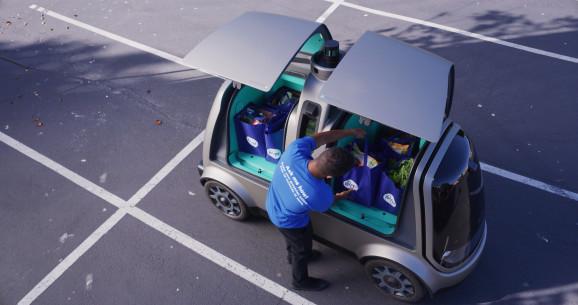
Worker loads grocery packages into Nuro deliverbotNuro

I've been involved with delivery robots for a long time, and on my walk through empty streets yesterday, I noticed a certain irony. We have a desperate need for more delivery capacity, especially without humans handling packages, and teams have been working hard to make deliverbots safe enough to drive on our streets.

Now, when we need them, our streets are almost empty, and the robots could be safe, but there was no reason to aim for that goal, and they are not yet available at scale.

I muse some more about this in my new article at [Delivery robots could have saved the day if the virus had come a bit later](https://www.forbes.com/sites/bradtempleton/2020/03/19/delivery-robots-could-have-saved-the-day-if-the-virus-had-come-a-bit-later/) on Forbes.com

Tags: 

Pages